Redmi AC2100 路由器 官方固件允许IPv6外网访问下游设备
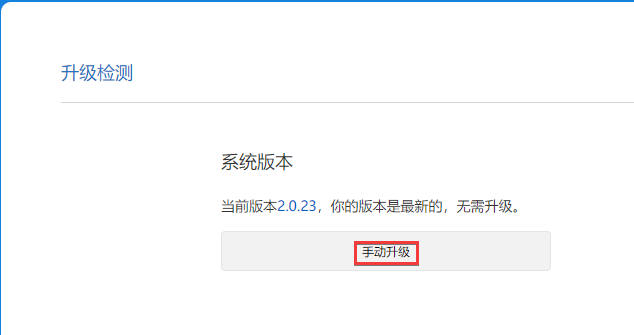
1. 升级/降级至2.0.23稳定版
升级/降级 至 官方固件版本: 2.0.23 稳定版。
操作入口在路由器常用设置-系统状态-升级检测处。
2. 开启SSH权限
F12打开浏览器的开发者模式,并切换至终端选项卡,复制以下代码至终端处,并敲回车执行:
执行后会弹出一个对话框,要求输入密码,请输入并记住这个密码,敲回车提交。
function getSTOK() {
    let match = location.href.match(/;stok=(.*?)\//);
    if (!match) {
        return null;
    }
    return match[1];
}

function execute(stok, command) {
    command = encodeURIComponent(command);
    let path = `/cgi-bin/luci/;stok=${stok}/api/misystem/set_config_iotdev?bssid=SteelyWing&user_id=SteelyWing&ssid=-h%0A${command}%0A`;
    console.log(path);
    return fetch(new Request(location.origin + path));
}

function enableSSH() {
    stok = getSTOK();
    if (!stok) {
        console.error('stok not found in URL');
        return;
    }
    console.log(`stok = "${stok}"`);

    password = prompt('Input new SSH password');
    if (!password) {
        console.error('You must input password');
        return;
    }

    execute(stok,
`
nvram set ssh_en=1
nvram commit
sed -i 's/channel=.*/channel=\\"debug\\"/g' /etc/init.d/dropbear
/etc/init.d/dropbear start
`
    )
        .then((response) => response.text())
        .then((text) => console.log(text));
    console.log('New SSH password: ' + password);
    execute(stok, `echo -e "${password}\\n${password}" | passwd root`)
        .then((response) => response.text())
        .then((text) => console.log(text));
}

enableSSH();
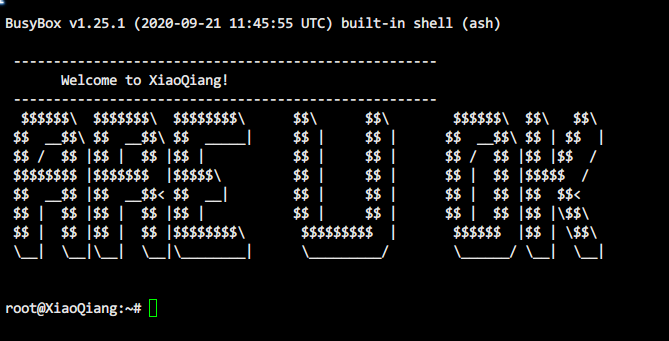
3. SSH连接路由器
MIWIFI默认网关地址为 192.168.31.1,用户名为 root,密码为上一步设定的密码。
4. 修改配置文件
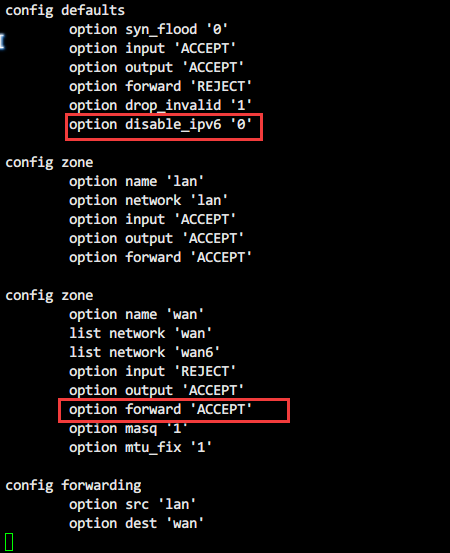
使用 Vim 修改防火墙配置文件:
vim /etc/config/firewall
将文件中defaults闭包下disable_ipv6的值改为0,zone闭包下forward的值改为ACCEPT
在原有的Rule中添加一个闭包,允许IPv6外网访问路由器下游设备
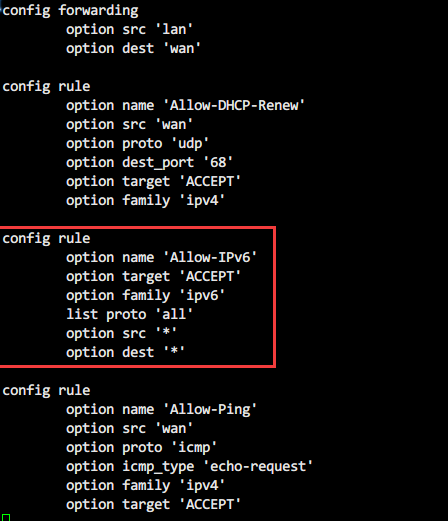
  config rule
    option name 'Allow-IPv6'
    option target 'ACCEPT'
    option family 'ipv6'
    list proto 'all'
    option src '*'
    option dest '*'
修改完毕,保存文件并退出修改。
5. 重启路由器防火墙
/etc/init.d/firewall restart
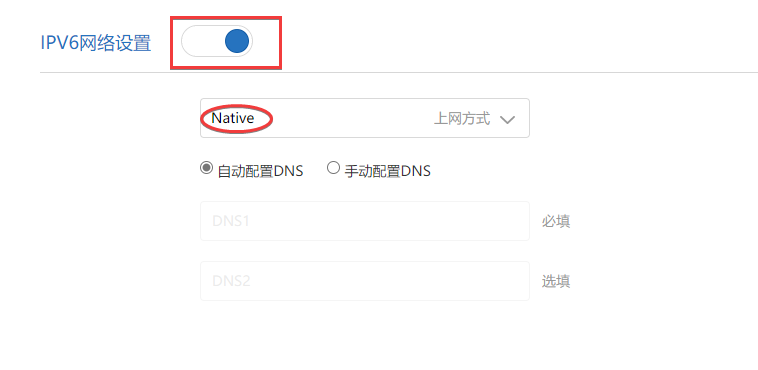
6. 打开IPv6
进入路由器后台常用设置——上网设置——最底部IPv6设置,打开上方开关,上网方式修改为
Native。
7. 拨号上网
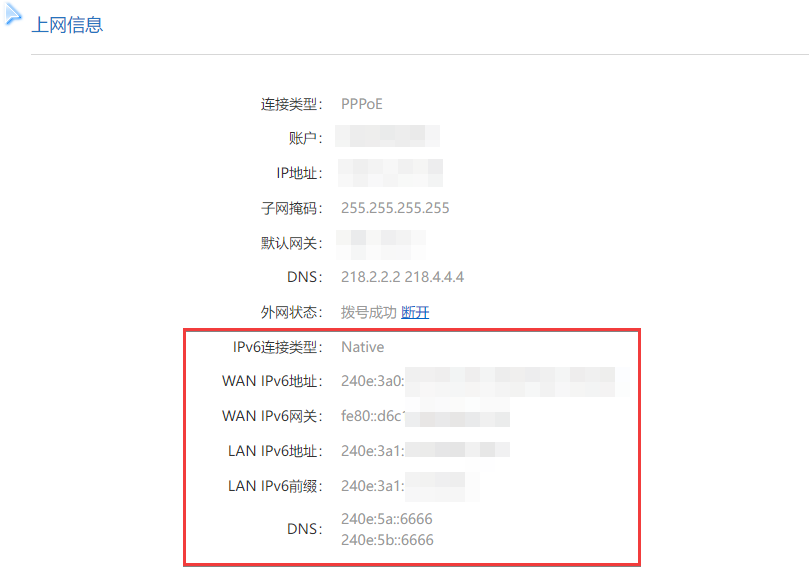
使用路由器进行拨号上网,确保拨号成功。
8. end
此时,外网即可访问路由器下游设备。